- 使用 cURL + cookie 完成登入 iTunesConnect
- 切換至 App 頁面資訊,查看有多少 Test User
- 添加 Test User
- 刪除 Test User
如此而已 :P 於是乎,用 https://github.com/changyy/codeigniter-library-ios-test-user 紀錄一下。
CREATE TABLE `play_action` (

 `id` int(11) unsigned NOT NULL AUTO_INCREMENT,

 `timestamp` timestamp NULL DEFAULT CURRENT_TIMESTAMP,

 `play_result` INT (10) NOT NULL

)
SELECT DATE_FORMAT(timestamp, "%Y-%m-%d %a") AS d, play_result, count(*) FROM play_action GROUP BY d, play_result
CREATE TEMPORARY TABLE `play` (

 `play_count` INT (10) NOT NULL,

 `play_date` VARCHAR(32) NOT NULL,

 `play_result` INT (10) NOT NULL,

 UNIQUE KEY `play_date` (`play_date`, `play_result`)

);
INSERT INTO `play` (play_result, play_date, play_count) SELECT play_result, DATE_FORMAT(timestamp, "%Y-%m-%d %a") AS d, count(*) as c FROM play_action WHERE timestamp >= '2016-04-01 00:00:00' GROUP BY play_result, d ORDER BY d ON DUPLICATE KEY UPDATE play_count=VALUES(play_count);
CREATE TEMPORARY TABLE `play_sum` (

 `play_count` INT (10) NOT NULL,

 `play_date` VARCHAR(32) NOT NULL,

 UNIQUE KEY `play_date` (`play_date`)

);


INSERT INTO `play_sum` (play_date, play_count) SELECT play_date, SUM(play_count) AS play_total FROM play GROUP BY play_date;
SELECT play.play_date, play.play_result, play.play_count / play_sum.play_count * 100, play_sum.play_count AS play_total FROM play, play_sum WHERE play.play_date = play_sum.play_date;
+----------------+-------------+---------------------------------------------+------------+

| play_date      | play_result | play.play_count / play_sum.play_count * 100 | play_total |

+----------------+-------------+---------------------------------------------+------------+

| 2016-04-01 Fri |           0 |                                     54.9398 |        687 |

| 2016-04-02 Sat |           0 |                                     68.9445 |        972 |

| 2016-04-03 Sun |           0 |                                     75.6607 |       1748 |

| 2016-04-04 Mon |           0 |                                     71.3967 |       1112 |

| 2016-04-05 Tue |           0 |                                     70.2852 |        886 |

| 2016-04-06 Wed |           0 |                                     49.8085 |        880 |

| 2016-04-07 Thu |           0 |                                     53.2239 |        596 |

+----------------+-------------+---------------------------------------------+------------+

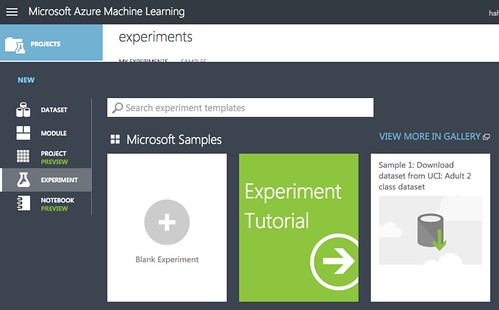
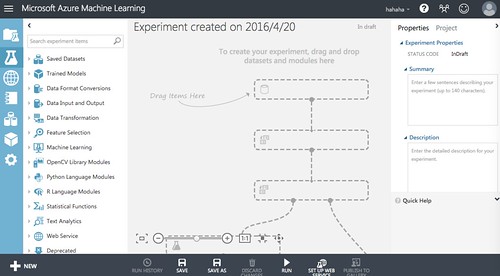
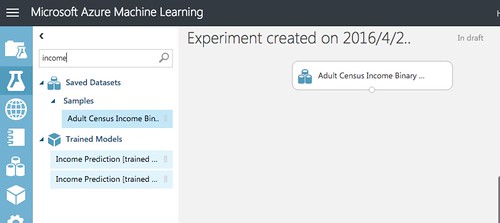
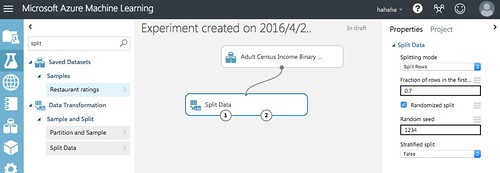
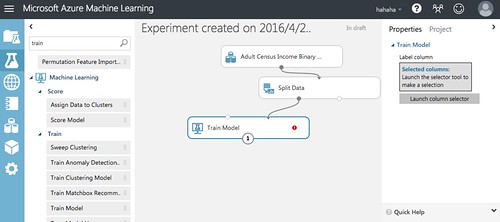
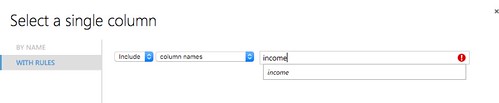
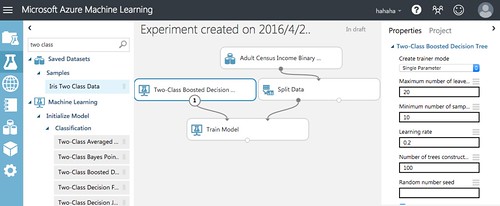
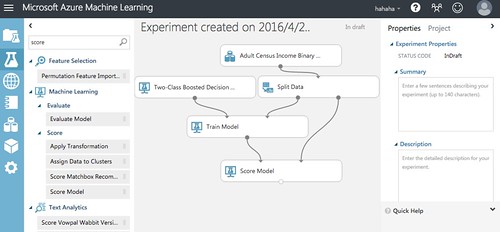
$ cd /path/project

$ git submodule add https://github.com/google/googletest/tree/master/googletest 3rdParty/googletest


$ vim CMakeLists.txt

...


add_subdirectory(3rdParty/googletest)

add_executable(your_unit_test

 your_unit_test.cpp

)

add_dependencies(your_unit_test gtest)

include_directories(${gtest_SOURCE_DIR}/include)

target_link_libraries(your_unit_test

 gtest

)
upstream backend_hosts { server api.localhost:80; }


set $request_url $request_uri;

if ($uri ~ ^/api(.*)$ ) {

 set $request_url $1;

}

location ^~ /api/ {

 proxy_read_timeout 300;

 proxy_set_header Host $http_host; proxy_redirect off;

 proxy_set_header X-Forwarded-For $proxy_add_x_forwarded_for;

 proxy_pass http://backend_hosts$request_url$is_args$args;

 proxy_buffering off;

}
$ sudo apt-get install nginx

$ sudo vim /etc/nginx/conf.d/www.conf

upstream backend_hosts { server 127.0.0.1:8000; }


# Web Server

server {

        listen 3000;


        set $request_url $request_uri;

        if ($uri ~ ^/api(.*)$ ) {

                set $request_url $1;

        }

        location ^~ /api/ {

                proxy_read_timeout 300;

                proxy_set_header Host $http_host; proxy_redirect off;

                proxy_set_header X-Forwarded-For $proxy_add_x_forwarded_for;

                proxy_pass http://backend_hosts$request_url$is_args$args;

                proxy_buffering off;

        }


        location ^~ / {

                add_header X-WWW-Request-URL $request_url;

                add_header X-WWW-Request-URI $request_uri;

                return 200;

        }

}

# APP Server

server {

        listen 8000;


        location ^~ / {

                add_header X-API-Request-URI $request_uri;

                return 200;

        }

}

$ sudo service nginx configtest && sudo service nginx restart
$ curl -s -D - 'http://127.0.0.1:3000/'

HTTP/1.1 200 OK

Server: nginx/1.4.6 (Ubuntu)
Content-Type: application/octet-stream

Content-Length: 0

Connection: keep-alive

X-WWW-Request-URL: /

X-WWW-Request-URI: /
$ curl -s -D - 'http://127.0.0.1:3000/api/helloworld?abc=123'

HTTP/1.1 200 OK

Server: nginx/1.4.6 (Ubuntu)

Content-Type: application/octet-stream

Content-Length: 0

Connection: keep-alive

X-API-Request-URI: /helloworld?abc=123
$ curl -s -D - 'http://127.0.0.1:3000/%E4%BD%A0%E5%A5%BD%E5%97%8E%0D%0A'

HTTP/1.1 200 OK

Server: nginx/1.4.6 (Ubuntu)

Content-Type: application/octet-stream

Content-Length: 0

Connection: keep-alive

X-WWW-Request-URL: /%E4%BD%A0%E5%A5%BD%E5%97%8E%0D%0A

X-WWW-Request-URI: /%E4%BD%A0%E5%A5%BD%E5%97%8E%0D%0A
$ curl -s -D - 'http://127.0.0.1:3000/api/%E4%BD%A0%E5%A5%BD%E5%97%8E%0D%0A'

HTTP/1.1 200 OK

Server: nginx/1.4.6 (Ubuntu)

Content-Type: application/octet-stream

Content-Length: 0

Connection: keep-alive

X-API-Request-URI: /%e4%bd%a0%e5%a5%bd%e5%97%8e%0d
upstream backend_hosts { server 127.0.0.1:8000; }


server {

        listen 3000;


        set $request_url $request_uri;


        if ($request_uri ~ ^/api(.*)$ ) {

                rewrite ^ $request_uri;

                rewrite ^/api(.*)$ $1;

                set  $request_url $1;

        }


        location ^~ / {


                add_header X-WWW-Request-URL $request_url;

                add_header X-WWW-Request-URI $request_uri;

                return 200;

        }


        location ^~ /urlencode {

                proxy_read_timeout 300;

                proxy_set_header Host $http_host; proxy_redirect off;

                proxy_set_header X-Forwarded-For $proxy_add_x_forwarded_for;

                proxy_pass http://backend_hosts$request_url;

                proxy_buffering off;

        }

}


server {

        listen 8000;


        location ^~ / {

                add_header X-API-Request-URI $request_uri;

                return 200;

        }

}
$ curl -s -D - 'http://127.0.0.1:3000/api/urlencode/%E4%BD%A0%E5%A5%BD%E5%97%8E%0D%0A'

HTTP/1.1 200 OK

Server: nginx/1.4.6 (Ubuntu)

Content-Type: application/octet-stream

Content-Length: 0

Connection: keep-alive

X-API-Request-URI: /urlencode/%E4%BD%A0%E5%A5%BD%E5%97%8E%0D%0A
