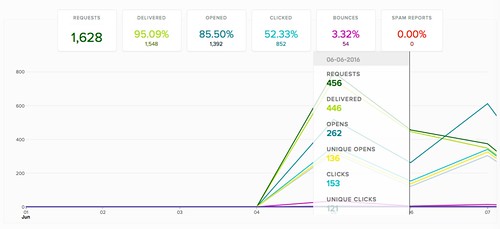
原先在開發電子報服務時就有要用,嘗試到一半就被其他事件 Orz 所以還是花點時間筆記一下這塊。首先,使用上需要 Amazon 帳號,打通後則是要用 AWS SES 服務的流程而已,其中 AWS 許多流程仍是依據 IAM 權限管理的,其實也是個挺漂亮的架構,粗略流程:
- 透過 AWS 最高權限,在 Amazon SES -> SMTP Settings -> Create My SMTP Credentials,將得到一組 SMTP Username 和 Password 可使用。過程中會建立一個 AWS user,我印象中早期是要自己去處理的
- 預設是 sandbox 環境,只能寄給已驗證的收信者,在 Amzaon SES Verified Sender 可以新增幾個試試。
- 透過 SMTP protocol 寄信看看
此次使用 PHPMailer 來測試:
$ git clone https://github.com/Synchro/PHPMailer.git

$ vim PHPMailer/AWS-SES-test.php

<?php

require 'PHPMailerAutoload.php';


$mail = new PHPMailer;

$mail->SMTPDebug = 3;

$mail->isSMTP();

$mail->Host = 'email-smtp.us-west-2.amazonaws.com';

$mail->SMTPAuth = true;

$mail->Username = 'YourSMTPUsername';

$mail->Password = 'YourSMTPPassword';

$mail->SMTPSecure = 'tls';

$mail->Port = 587;


$mail->From = 'YourSenderEmail';

$mail->FromName = 'Mailer';


$mail->addAddress('YourTargetEmail');


$mail->isHTML(true);

$mail->Subject = 'Here is the subject';

$mail->Body    = 'This is the HTML message body <b>in bold!</b>';

$mail->AltBody = 'This is the body in plain text for non-HTML mail clients';


if(!$mail->send()) {

    echo 'Message could not be sent.';

    echo 'Mailer Error: ' . $mail->ErrorInfo;

} else {

    echo 'Message has been sent';

}


$ php PHPMailer/AWS-SES-test.php
在 sandbox 中,如果 $mail->addAddress 或是 $mail->From 使用的不是驗證過的,會出現 554 Message rejected: Email address is not verified.
最後,測試都差不多了,想要正式使用時,在申請一下
Requesting Production Access to Amazon SES 即可。理由可以很簡單,例如寄信給註冊的使用者們,不到20個英文字就搞定啦,但各個 region 必須分開申請。